What patients need from a diagnostic lab website
A person arriving on a lab website usually has a prescription in hand. They want three answers: whether you run the tests on it, what it will roughly cost, and whether they need to fast. Many are booking for an elderly parent, and others want the earliest slot and the report on their phone.
So the site has to do a few concrete jobs. It must let someone find a test by the name the doctor wrote, which might be a full name, an abbreviation such as TSH or a plain word such as sugar. It must explain preparation in plain terms. It must tell people quickly whether you collect at their address and when. It must take a booking with little typing and show the lab's registrations.
How our demo lab handles it
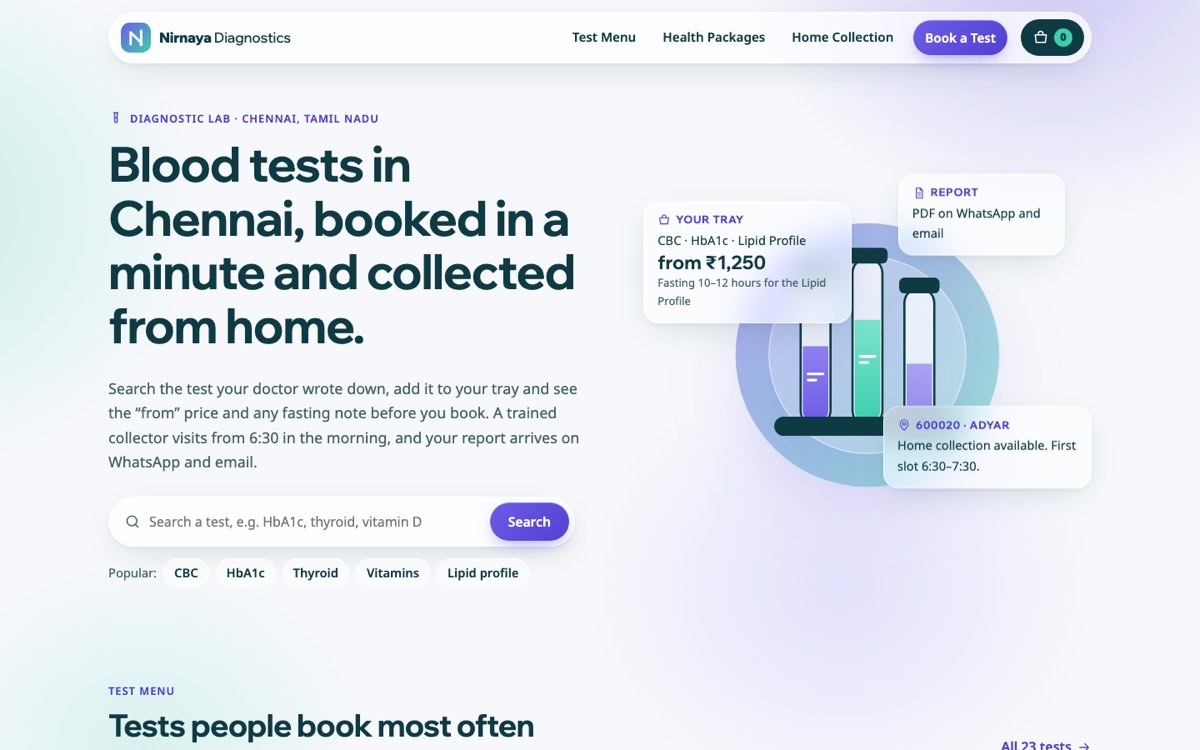
Nirnaya Diagnostics is a fictional lab in Chennai that VirtueInfo created to show this kind of site working. It is not a client, and the prices, pincodes and contact details are samples.
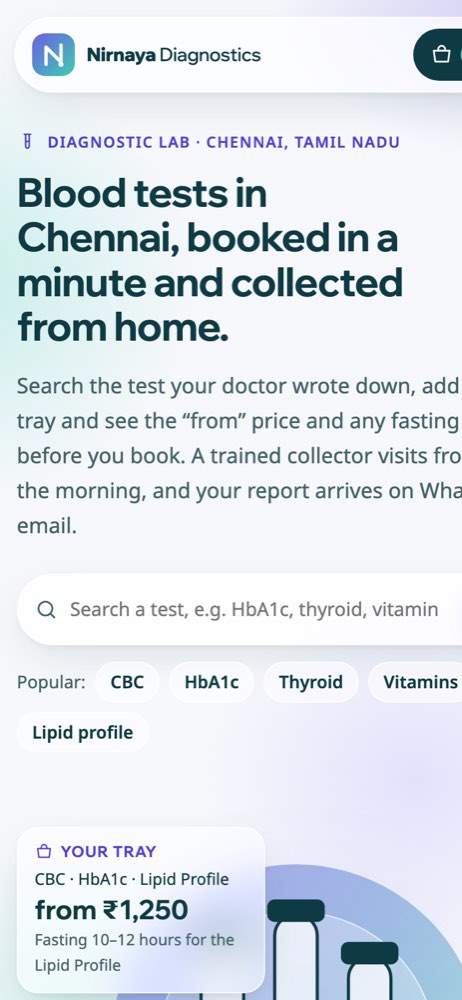
The home page opens with a test search and links for the tests people ask about most, then shows a short run of popular tests, three health packages, the four steps of a home collection and a pincode check. The inner pages split the work:
- The test menu lists 23 tests with the sample type, the preparation, when the report is usually ready and a "from" price, filtered by search words and category chips.
- Health packages lists five panels, each with every test inside, its preparation and advice on when single tests make more sense than a package.
- Home collection has the pincode checker, a table of zones, slots and charges, the full coverage list and notes on getting ready for the visit.
- Book a test collects the tests, the place, the date and slot, and the patient details.
The signature feature is the test tray. Every test and package has an Add button, and the tray counter in the navigation updates as the patient adds items. The tray adds up the "from" total and writes the preparation notes for that exact combination: the longest fasting time needed and which tests it applies to, a reminder about the second sample for the sugar panel, and a flag for anything that needs a centre visit. The tray stays in the browser between pages and is carried into the booking form. On phones a dark bar at the bottom shows the count and total with a Book button.
The booking form also takes typed tests or a prescription photo, switches between home collection and a centre visit, checks the pincode again for home visits, and validates an Indian mobile number. There is a tick box for confirmation and report on WhatsApp. In the demo nothing is sent. On your site the request reaches your lab software, your email, WhatsApp or your CRM.
Local SEO built in
The pages carry schema.org markup using the DiagnosticLab business type, with the city, address region and opening hours. Each page title pairs the service with the city in the way people search, such as home sample collection or health check packages in Chennai.
We match your lab name, phone number, hours and services to your Google Business Profile so the details agree everywhere. The demo uses self-hosted fonts, inline drawings instead of photos and a single small script, so it loads quickly on a mobile connection. Since Nirnaya Diagnostics is a made-up diagnostic lab, its demo is hidden from search. A real diagnostic lab site we build is published indexable, with every page listed in the sitemap.
Notes for each market
India
The demo is written for India: prices in rupees, payment by UPI, card or cash at collection, and reports and slot changes over WhatsApp. The footer has labelled places for NABL accreditation, clinical establishment registration and the signing pathologist. We can add Tamil, Hindi or another regional language as a full second set of pages.
USA
American patients expect to see which insurance plans you accept and whether a physician order is needed. We write in American spelling, show prices in US dollars and can place your CLIA certificate number and state licence details where patients look for them.
Canada
Canadian labs often explain which tests are publicly covered with a requisition and which are paid privately, with prices in Canadian dollars. A lab serving Québec needs a full French version, and we build it as its own set of pages. Provincial licensing details can be shown in the footer.
Australia
Australian patients look for bulk billing information and whether a referral is needed. We use Australian English, show any private fees in AUD and give the ABN and accreditation details a place in the footer. The demo's pincode check works the same way with postcodes.
Finland
Finnish lab sites usually run in Finnish, Swedish and English, with prices in euros. Patients often book through their occupational health provider or with a referral, so the site should explain both routes. We build each language as separate pages so each one can rank in search.
What we deliver and how the project runs
We design the site to your brand and write the content with your team: the test list with sample types and preparation, packages, collection areas and the questions your front desk answers by phone every morning. The test menu and pincode list can be loaded from a spreadsheet or your lab software.
We connect bookings and prescription uploads to the tools you already use: your lab software, email, WhatsApp or your CRM. You review the build on a staging link, and at launch we hand over the site, the logins and a short editing guide. After launch we can handle updates, security and hosting as part of our healthcare software services.
Send us your lab name, your test list and how you take bookings now, and we will come back with a quote. Ask for a quote.