What travellers need from a tour operator's website
People booking a tour are buying a few hours or days they cannot try first. A family driving in for a long weekend wants to know the minimum age, how calm the water is and what happens if the weather turns. A couple from abroad wants to see what the day looks like, hour by hour, and whether the tour runs in the month they are visiting. Both want to send a request without a phone call across time zones.
A tour site has to make choosing easy across the whole range, set expectations before payment and answer the questions your booking desk hears every day. The enquiry it sends should already carry the tour, the date, the group and the best way to reply.
How the demo handles it
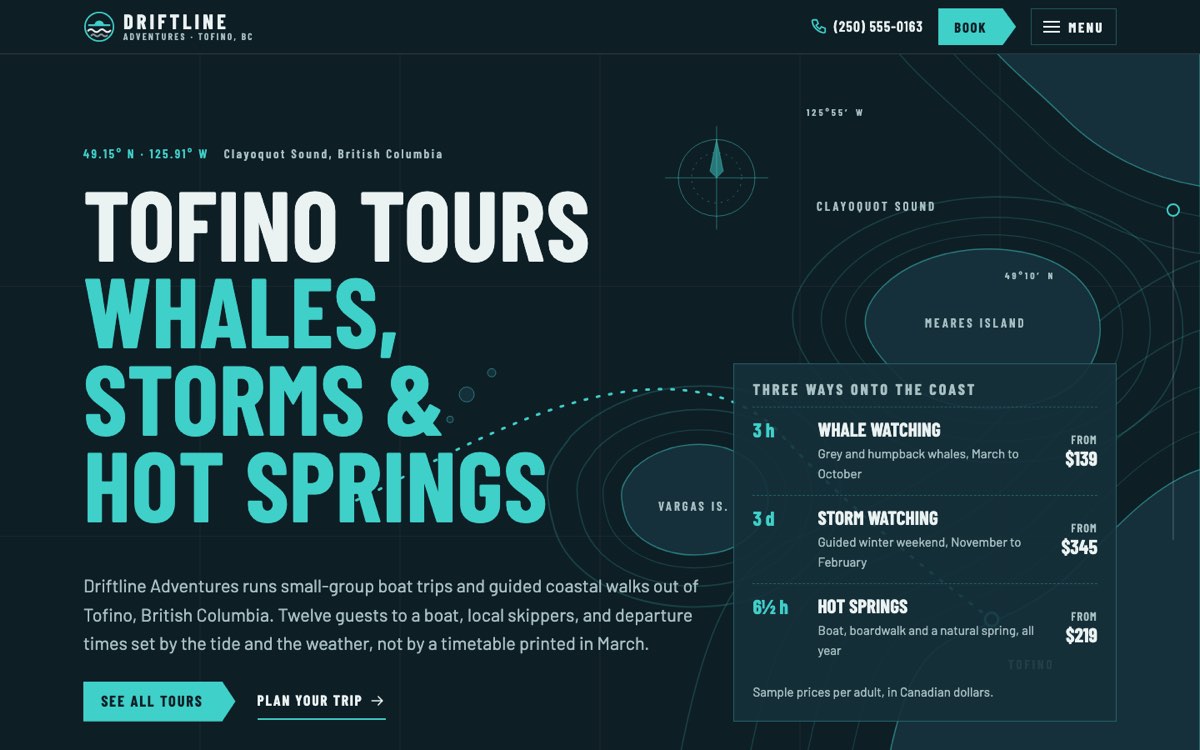
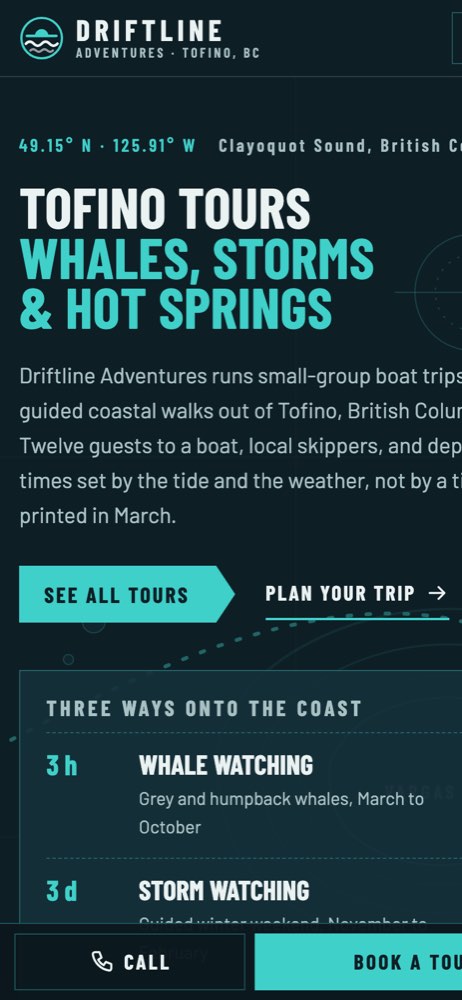
Driftline Adventures is a fictional tour operator in Tofino, British Columbia, created by VirtueInfo for this demo. It runs small-group boat trips, paddles and guided coastal walks, and is written in Canadian English.
The home page opens on a nautical chart illustration with the three headline tours. Further down, a scrolling story follows a typical whale watching morning in five moments. As the visitor scrolls, a sticky chart beside the text draws the route step by step. All of this content is still visible without JavaScript.
Choosing a tour
The tours page shows eight tours as ticket cards with the type, season, length and starting price. Filters for season, length and difficulty narrow the list and update the count, and a clear button resets them. If nothing matches, the page suggests another season or a private trip.
Three tours have full pages: whale watching, storm watching and the hot springs day trip. Each opens with the facts a planner needs, such as duration, season, difficulty, group size and who the trip suits, followed by what is included and sample departures. Then comes the itinerary: an hour-by-hour timeline for the day trips and a day-by-day plan for the storm weekend, filling in as the visitor scrolls. Each page ends with FAQs about that trip.
Planning and booking
The plan your trip page covers getting there by car, ferry and air, a chart of which months each tour runs, what to wear, how the day starts, how weather calls are made and how to treat the coast with care. The booking page lets visitors choose a tour, date and time of day, mark their dates as flexible and set adults and children with plus and minus buttons. A summary beside the form shows a sample estimate as they go. After sending, the demo confirms the request and explains what the booking desk would do next. On a phone, a call and book dock stays at the bottom of the screen.
Local SEO built in
Every page carries TravelAgency structured data with the business name, town, booking desk hours and contact details. Tour pages add TouristTrip markup with offers and the attraction visited, and pages with questions add FAQ markup. Titles pair each activity with the town, such as whale watching in Tofino. The business name, town and phone are kept identical to what belongs on your Google Business Profile.
Search engines are told to skip the Driftline Adventures demo. When we build for a real tour operator, the site is indexable from launch, with canonical tags and a sitemap in place. The illustrations are SVG and the fonts are self-hosted, so pages load quickly for visitors on roaming data at the harbour.
Notes for each market
India
Indian travellers often enquire on WhatsApp, so we place it next to the form and in the mobile dock. Prices are shown in rupees with GST noted, and UPI suits deposits. Pages in Hindi or a regional language can sit beside English for domestic tours.
USA
American visitors expect US dollars, clear taxes and fees, and a cancellation window stated in hours or days. Use American spelling, miles where guests expect them and a month-first date format. Any permit or licence details for your area can sit in the footer.
Canada
Prices go in Canadian dollars with GST or HST noted, as the demo does. An operator in Québec should publish in French and English. Canadian spelling and metric distances fit, and vessel registration or operator certificates can be shown where they apply.
Australia
Australian visitors expect the price shown to include GST. Show your ABN in the footer, use Australian spelling and state any minimum ages for water and reef trips clearly.
Finland
Many Finnish operators sell to visitors from abroad, so English often sits beside Finnish, with Swedish or German where those guests come from. Prices are in euros with VAT included, and the business ID goes in the footer. Clothing lists and cold weather notes matter as much as the itinerary.
What we deliver and how the project runs
We design the site to your brand and the places you take people, using your photographs or illustration. We write tour pages and policies with you from real routes, timings and rules, so the site never promises a sighting or a departure you cannot keep. Enquiries go to your email, WhatsApp or CRM, or we connect the tours to your booking system for live availability. Our UI and UX design team tests the filters, timelines and booking flow on phones before launch.
At hand-over you get edit access for tours, seasons and prices, plus a walkthrough for your booking desk. We can keep looking after hosting, updates and new tours each season. Send us your tour list and how you take bookings today through our contact page and we will prepare a quote.